 HEXA PIPER
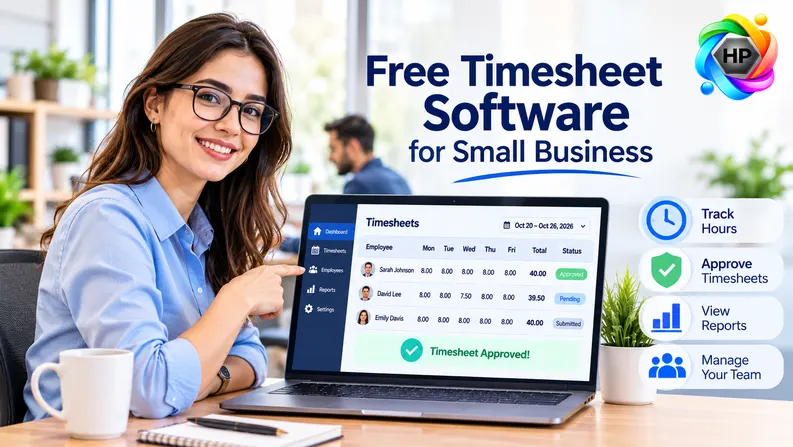
Free timesheet software can take a real job off your plate: chasing hours, fixing spreadsheet typos and guessing at overtime. But “free” covers a lot of ground, and the details decide whether a tool helps or just adds another login.
Here is a pattern we see often in small teams. People jot hours on paper, in a spreadsheet or in a chat message. A manager collects them at the end of the week and adds them up. Someone then retypes the totals into an invoice and again into payroll. Each handoff is a chance for a wrong number, and a wrong number in a timesheet becomes a wrong bill or a wrong paycheck.
This guide explains what free timesheet software really includes, where free plans stop, and how to roll out time tracking in your team. It is written for small teams of about 5 to 50 people, and it shows how Hexa Piper handles timesheets, including which plan they come with.
What does “free timesheet software” actually mean?
The phrase is used for four different things. Mixing them up is how teams end up surprised later.
-
A free plan that stays free, usually with limits on users, reports or approvals.
-
A spreadsheet or template you fill in yourself. It costs nothing but does no checking for you.
-
A free timesheet calculator that adds up hours for one person at a time and does not save records.
-
A free trial of paid software, with full access for a short time.
Free online timesheet software, the kind you open in a browser or on a phone, usually falls into the first or last group. It saves you from installing anything, and it still comes with the same limits.
What free timesheet software usually includes
Most free tools cover the basics of recording time:
-
Clocking in and out, or entering hours by hand
-
Adding up daily and weekly hours, including breaks
-
A simple view of who is working and who is not
-
Mobile or browser access, so staff can log time from anywhere
-
A basic report or export of hours
For a very small team, that can be enough to replace paper and spreadsheets.
What free plans usually leave out
The gaps are where free plans stop and paid plans begin:
-
Approvals. A manager reviewing and signing off the week is often limited or missing.
-
Payroll and invoicing links. Many free tools give you a file to download, and you still retype the numbers.
-
Overtime rules and alerts. Automatic overtime calculation and warnings before someone goes over are common paid features.
-
Location checks. Clock-in by location (GPS or geofencing) is usually a paid extra.
-
Advanced reports. Labour cost, project profit and long reporting periods often need an upgrade.
-
Support. A free plan often means help articles and no phone line.
Hidden costs to check before you commit
“Free” can still cost you time or money. Ask these questions up front:
-
How many users can I add before I have to pay?
-
Does the free plan include approvals, or only time entry?
-
Can I export my records if I leave?
-
Will it connect to my payroll or invoicing, or do I have to retype hours?
-
Is the free offer a plan, or a trial that ends?
How to track employee time step by step
You can track time with a free tool, a spreadsheet or paper. The steps are the same either way:
-
Decide what you are tracking. Hours by employee, by customer, by job or by task. Pick the level of detail you will actually use.
-
Set the rules. Decide how breaks work, how overtime is counted and whether you round to the nearest minute or quarter hour.
-
Choose how people clock in. From a phone, a browser or a shared device at the workplace.
-
Collect the hours. Staff log time as they work, not from memory on Friday.
-
Fix missed time. Let people add forgotten hours, with a note, so the record stays honest.
-
Approve the week. A manager reviews the hours before anything is billed or paid.
-
Use the approved hours. Send them to your invoice and your payroll, so no one retypes them.
-
Keep the records. Store approved timesheets and exports for as long as the law requires.
Steps 1 to 5 are what most free tools help with. Steps 6 to 8 are where you should read the plan carefully.
Overtime and record keeping: what to check
Timesheets are not only an internal habit. For hourly staff, they are evidence of the hours worked. In the United States, for example, employers must keep time and pay records for employees who are covered by overtime rules, and the Fair Labor Standards Act sets minimum retention periods for payroll and time-card records. Rules differ by country, state and type of worker, so confirm your own requirements with your accountant or labour authority.
In practice, ask whether the tool keeps an audit trail of changes, lets you export records, and calculates overtime the way your rules require. A tool that records every edit, and who made it, protects you as much as it protects your staff.
Why timesheets, invoices and payroll belong together
Most billing and pay mistakes start with hours. They get collected one way, approved another way and entered a third way.
When timesheets sit in the same system as invoices and payroll, staff clock in on a job or task, a manager approves the week, and the approved hours become the starting point for the bill and for the paycheck. You do not correct figures after the money has moved.
If you search for free timesheet software with payroll, this connected flow is the feature to look for.
How Hexa Piper handles timesheets
Hexa Piper is business management software for teams of about 5 to 50 people. It keeps customers, hours, invoices and payroll in one place, so the hours people log carry through to billing and pay without being typed again.
Here is where timesheets sit across the plans:
-
Hexa Free ($0): customers and tasks, with security on every plan. Timesheets are not included.
-
Hexa Lite ($12 per user per month): timesheets and approvals, invoices, payroll, documents and chat.
-
Hexa Core ($18 per user per month): everything in Lite, plus unlimited records. Yearly billing saves 17%.
To be direct: timesheets are part of Hexa Lite and above, not the $0 plan. Hexa Free is a good way to set up your customers and tasks and see how the workspace feels. Hexa Lite comes with a free 15-day trial, so you can run a real work week through it before you pay.
In practice, staff clock in on a job, a client or a task, and can add missed time and submit the week for approval. A manager reviews the hours before anything is billed. Approved time can then go on a customer invoice and into payroll, which is the connected flow described above. See the pricing page for current details.
Every plan includes encryption, two-factor authentication, role-based access, audit trails and HIPAA-ready security controls. Staff, managers and accountants each see only their own work.
A security checklist for time and pay data
Timesheets show names, schedules and, once connected to payroll, pay rates. Before you enter any of it, look for:
-
Encryption of data in storage and in transit
-
Two-factor sign-in
-
Role-based access, so staff only see their own hours
-
An audit trail showing who viewed or changed a record
-
The ability to export or delete your data
When free stops being enough
A free tool is a good start, and many teams outgrow it. Consider moving to a paid plan when:
-
You add more people than the free plan allows
-
You need managers to approve hours before they are billed or paid
-
You retype hours into invoices or payroll every week
-
You need overtime calculated and flagged automatically
-
Staff work across several jobs, clients or locations
How to choose free timesheet software for a small business
If you are comparing options for free timesheet software for small business use, run through this list. It takes ten minutes and can save a painful switch later.
-
It handles the number of people you have now and the number you expect in a year.
-
Staff can clock in from a phone or browser, wherever they work.
-
You know which features are free and which need a paid plan.
-
Managers can approve the week before it is billed or paid.
-
Hours can feed invoices and payroll without retyping.
-
It calculates breaks and overtime the way your rules require.
-
You can export records for your accountant.
-
Two-factor sign-in and an audit trail are included.
-
You can try it with a real work week before you commit.
If you can tick most of these, the tool is likely to hold up as the team grows.
Frequently asked questions
Is there really free timesheet software?
Yes, but “free” varies. Some tools are free forever with limits, some are templates or calculators, and some are free only for a trial. Check what is included before you move your data.
Is there a free timesheet app?
Yes. Many tools offer a free plan with a mobile app or a mobile-friendly website. Check whether clock-in, approvals and reports are included on the free plan, or only basic time entry.
Is Google Sheets a good free timesheet?
It works for a handful of people. A spreadsheet costs nothing, but it does not check entries, stop edits after approval or keep an audit trail, and someone has to add up the totals and retype them.
Can I use free timesheet software for payroll?
Sometimes. Many free tools give you a download of hours to enter into your payroll. Connected tools prepare pay from approved hours, which saves retyping. In Hexa Piper, that connection comes with Hexa Lite.
How many employees can I track with free timesheet software?
It depends on the tool. Some free plans cap the number of users, so ask what happens when you hire.
Is free timesheet software secure?
It can be, but check. Look for encryption, two-factor authentication, role-based access and audit trails. Hexa Piper includes all four on every plan.
Do I need to keep timesheets after payday?
Usually, yes. Many places require employers to keep time and pay records for a set number of years. Confirm the period for your country or state with your accountant.
Are timesheets free with Hexa Piper?
Hexa Free costs $0 but does not include timesheets. Timesheets come with Hexa Lite, which has a free 15-day trial.
Start tracking time with confidence
The goal of any free timesheet software is simple: capture hours accurately, with less admin. Free tools can get you there, as long as you know their limits and keep your hours in one place.
If you want to see how logged hours turn into invoices and pay, start free with Hexa Piper and set up your customers and tasks. When you are ready for timesheets, try Hexa Lite free for 15 days, or open the demo with sample data first. No password and nothing is billed.